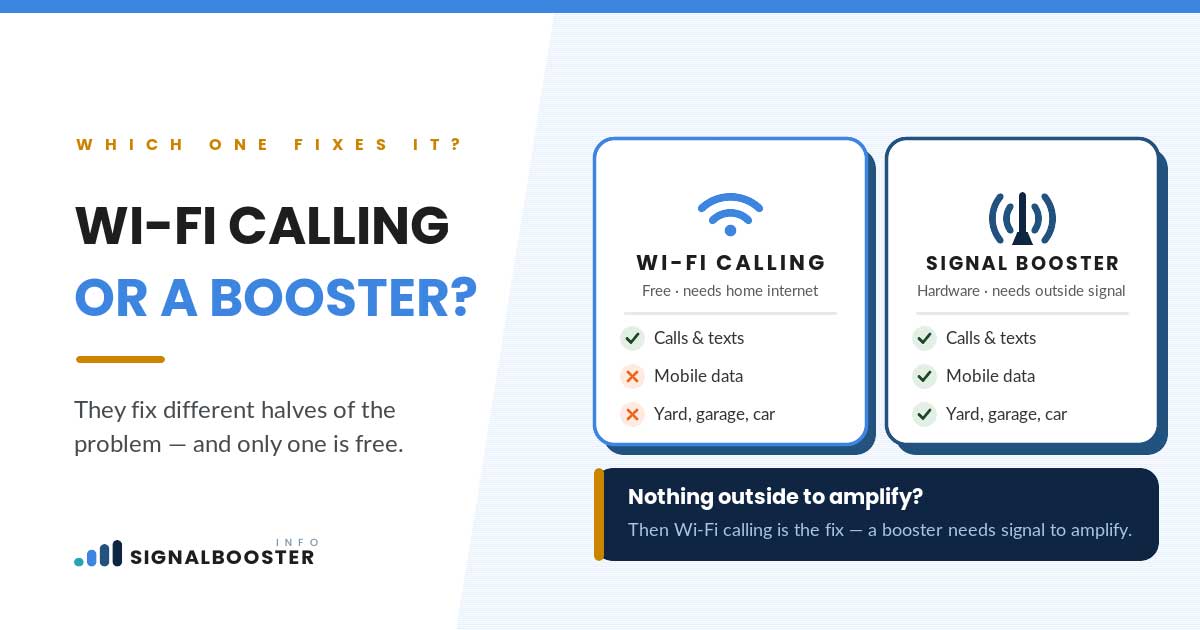
Short answer: Wi-Fi calling and a signal booster fix two different problems that happen to look identical on your phone’s screen. Wi-Fi calling routes your calls and texts over your home internet connection and never touches the cell network at all, so it only works where your Wi-Fi reaches and only while your internet is actually up. A signal booster amplifies the real over-the-air cell signal reaching your building, so it needs some usable outdoor signal to work with in the first place. If your problem is entirely indoors and your home internet is solid, turn on Wi-Fi calling first. It costs nothing, and for a lot of readers it’s the whole fix.
Two Different Problems Wearing the Same Symptom
“My calls drop at home” and “I have no signal in my bedroom” sound like one problem, but they can come from two completely unrelated places. One is a cellular problem: not enough usable signal reaching your building from the nearest tower. The other is nothing to do with cellular at all: your phone simply hasn’t been told to route calls a different way when the cellular side is weak.
That distinction is the entire reason this comparison exists. Wi-Fi calling doesn’t strengthen your cell signal. It sidesteps it. A signal booster doesn’t sidestep anything. It strengthens the actual signal. Which one you need depends on where the failure is actually happening, not on which fix is cheaper or easier to turn on first.
Here’s a quick way to sort your own situation before reading further:
| Your situation | What’s actually happening | Try this first |
|---|---|---|
| Calls and texts drop only indoors; home internet is fast and reliable | Cell signal reaching the building is weak, but the internet connection is fine | Wi-Fi calling |
| Signal is weak everywhere, indoors and outdoors, including cellular data | Not enough outdoor cell signal for anything to route around | Signal booster, if there’s some usable outdoor signal to amplify |
| Calls are fine at home but drop the moment you step into the yard or car | Wi-Fi calling has no reach past your router; cellular is the only option out there | Signal booster |
| Home internet itself is unreliable or goes down often | Wi-Fi calling fails at the exact moments you’d need it most | Signal booster, since it doesn’t depend on your internet provider at all |
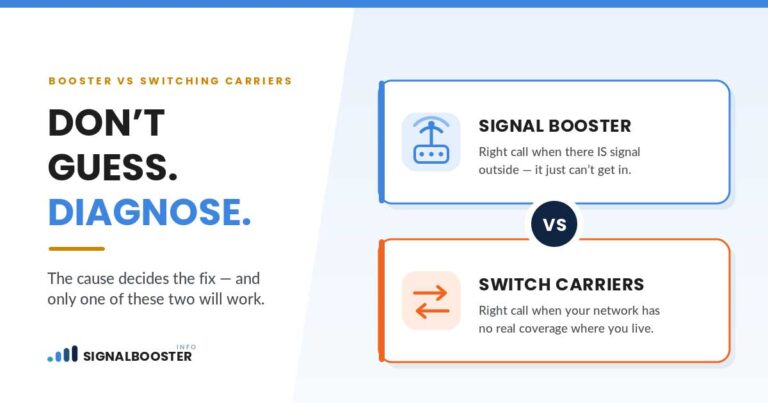
| No signal at all, even standing outside your front door | Nothing to boost and no cellular path for Wi-Fi calling to fall back on if the internet drops | Neither fix on its own; check coverage before spending anything, see signal booster vs. switching carriers |
The rest of this article walks through why each row lands where it does.
How Wi-Fi Calling Actually Works (It Skips the Tower Entirely)
When Wi-Fi calling is turned on, your phone converts a call into data and sends it over whatever internet connection you’re connected to, the same way a video call app does. It never asks the cellular radio to find a tower for that call. That’s the whole trick, and it’s why Wi-Fi calling can work in a spot with literally zero cell signal: it was never using the cell network for that call in the first place.
Nearly every major US carrier supports some version of this, and turning it on is usually a setting inside your phone’s calling options rather than a purchase or a new plan. Because the call rides your internet connection, not a specific carrier’s tower, it can make an indoor dead zone functionally disappear for calls and texts, provided your Wi-Fi is doing its job.
One thing worth knowing before you rely on it for anything urgent: carriers require you to register a location address for emergency calls made over Wi-Fi. The specifics of how that registration works vary by carrier, so check your own carrier’s terms rather than assuming it behaves the same way a normal 911 call from a cell tower does.
How a Signal Booster Actually Works (It Doesn’t Skip the Tower)
A signal booster does the opposite. It’s an amplifier system, not a workaround: an outdoor antenna captures whatever cell signal already exists outside your building, the booster unit amplifies it, and an indoor antenna rebroadcasts the stronger signal inside. It amplifies the return path too, so your phone’s own signal going back out to the tower gets a boost as well. Every part of that chain runs through the actual cellular network. Nothing about it touches your home internet.
That mechanism is also its hard limit. A booster needs some usable signal reaching the outside of your building to amplify. If the outdoor signal is essentially nonexistent, there’s nothing for the booster to grab onto, and no amount of amplification manufactures a signal that isn’t there. For the full mechanics of how boosters are built and what they can realistically cover, see what a signal booster actually is and how it works. Booster certification and carrier registration requirements are their own topic with real specifics that shouldn’t be guessed at here; see is a signal booster legal for that.
When Wi-Fi Calling Is the Right Fix
Wi-Fi calling is the right first move when your problem is specifically indoor, specifically calls and texts, and your home internet is genuinely reliable. If you can stream video without buffering but your phone shows one bar in the kitchen, that’s exactly the profile: the cellular side is weak, the internet side isn’t.
It’s also the right first move because it costs nothing and takes about two minutes to test. There’s no reason to spend money on hardware before ruling out a setting that’s often already sitting in your phone, unused. If it solves the problem, you’re done. If it doesn’t, you’ve lost nothing but two minutes, and you now know the problem isn’t purely an indoor-calling one.
What Wi-Fi Calling Can’t Do for You
The limits are worth stating plainly, because they’re exactly what most brand-run comparison pages gloss over on the way to recommending hardware.
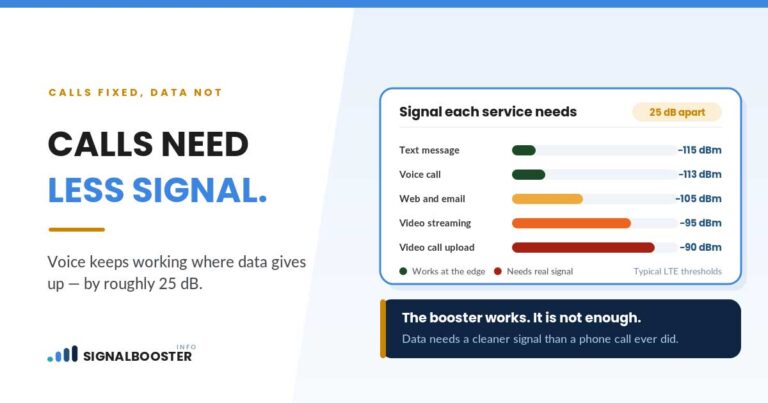
Wi-Fi calling does nothing for mobile data outside your Wi-Fi’s range. Maps, browsing, apps, anything that needs a cellular data connection in the car, the yard, or anywhere your router doesn’t reach still depends entirely on actual cell signal. It also does nothing the moment your internet connection itself goes down. A router reboot, an ISP outage, or a modem that needs resetting takes your Wi-Fi calling down with it, at precisely the moment you might need a phone that still works.
The handoff between Wi-Fi and cellular isn’t always clean, either. Walk out of your Wi-Fi’s range mid-call and your phone has to hand the call over to the cellular network in real time; that transition can drop the call or garble it for a moment, especially if the cellular signal it’s handing off to is itself weak. And Wi-Fi calling only helps the person connected to that specific network. It doesn’t extend anything for a visitor on their own carrier plan standing in the same room.
When Only a Booster Fixes It
A booster is the right tool once the problem stops being “indoor calls only” and becomes “actual cellular signal, anywhere in or around the building.” That includes mobile data you need outside Wi-Fi range, a household where home internet itself is unreliable, a garage or basement office where you need real cellular service and not just calls, or a home with visitors on different carriers who all need working signal, not just the people on your own Wi-Fi network.
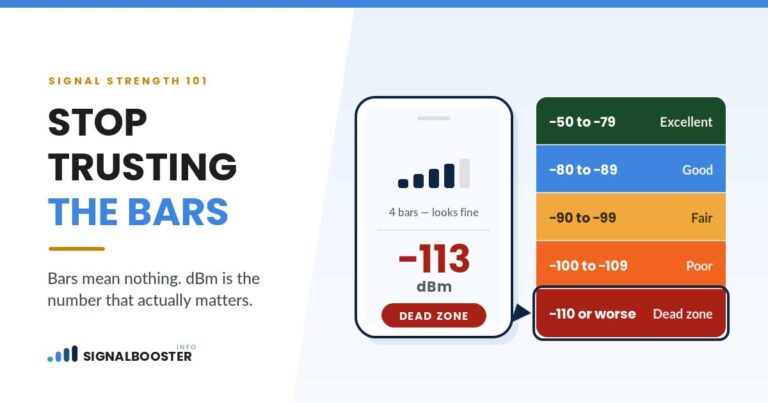
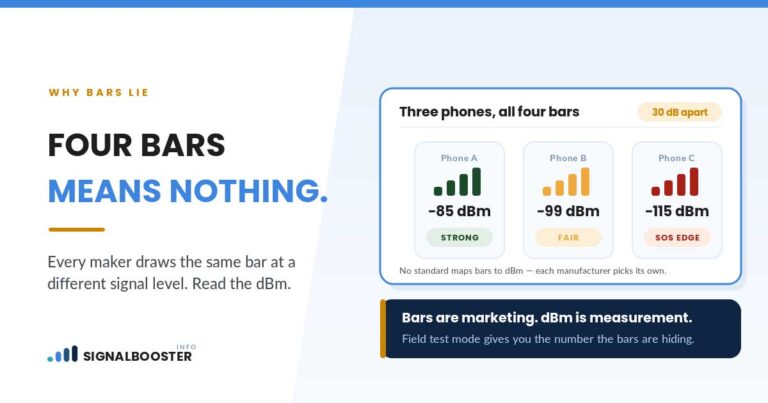
It’s still worth checking that there’s something for a booster to amplify before buying one. A quick way to check is pulling your actual signal reading rather than trusting bars on the screen; see how to check your real dBm signal strength for that. If a carrier has already offered you a small box that plugs into your router instead of an antenna-based booster, that’s a different device with a different mechanism worth understanding before you assume it’s the same fix; see signal booster vs. network extender for how the two differ.
Using Both Together
These two aren’t competing for the same job, so there’s no real reason to pick only one. Wi-Fi calling handles indoor calls and texts over your internet connection at no cost, and a booster handles everything Wi-Fi calling can’t reach: cellular data anywhere on the property, service outside your router’s range, coverage for visitors, and a working phone during an internet outage. A lot of households end up running both without ever noticing any conflict between them.
If neither fix seems to be addressing the real problem, the underlying cause might not be a building issue at all. Signal booster vs. switching carriers covers the third possibility this article deliberately sets aside: a carrier that simply doesn’t have strong network coverage in your area, which neither Wi-Fi calling nor a booster can fully compensate for. And if you haven’t pinned down why your signal is weak in the first place, walking through why your signal is weak at home is the right place to start before choosing any fix.
FAQ
Does Wi-Fi calling use my cellular data?
No. It routes calls and texts over whatever internet connection you’re connected to, which is usually your home Wi-Fi. It doesn’t touch your cellular plan’s data or minutes for those calls.
If Wi-Fi calling already works fine at home, do I still need a signal booster?
Not necessarily. If every call and text you make happens at home over a reliable internet connection, Wi-Fi calling alone may be a complete fix. A booster becomes worth considering once you need actual cellular service (data, or coverage outside your Wi-Fi’s reach) that Wi-Fi calling can’t provide.
What do I need to set up before relying on Wi-Fi calling for an emergency call?
Carriers require you to register a location address for emergency calls made over Wi-Fi. How that registration works and what happens if you’re away from that address varies by carrier, so check your own carrier’s terms directly rather than assuming.
Can a signal booster fix a spot with zero signal, even standing outside?
No. A booster amplifies an existing outdoor signal; it can’t create one from nothing. If the outdoor signal at your address is essentially zero, that’s a coverage question worth checking against carrier coverage maps before buying hardware, and it’s exactly the scenario covered in signal booster vs. switching carriers.
Can I use Wi-Fi calling and a signal booster at the same time?
Yes. They solve different scenarios and don’t conflict. Wi-Fi calling covers indoor calls and texts over your internet connection; a booster covers the actual cellular signal, including data and anywhere outside your Wi-Fi’s range.