Short answer: rarely in the way people fear. True electrical panel interference with a signal booster, meaning radio noise from the panel that drowns out the cell signal, is uncommon, because household power in the US runs at 60 Hz while cellular bands sit hundreds of megahertz higher. What a panel does do is act as a large steel box that blocks and reflects signal, so an indoor antenna mounted beside it can leave a shadow. A sump pump motor can add electrical noise, and a pump sharing a circuit can take the booster’s power down with it. Your phone’s own readings tell you which of these you have.
Basements put all three suspects in one room: the breaker panel, the sump pit, and often the booster’s amplifier. When the signal is bad down there, “interference” becomes the catch-all word. This page separates the problems hiding under that word and gives you a measurement method to tell them apart, using your phone and a notepad.
Three different problems that all get called “interference”
Most complaints about a panel or pump “interfering” turn out to be one of three mechanisms. They look alike on the bars icon and very different in measured numbers.
| What is happening | What it is | What it looks like in your readings | What usually fixes it |
|---|---|---|---|
| Metal shadowing | The steel panel enclosure (or ductwork, a water heater, a furnace) blocks and reflects signal | Signal strength (RSRP) is lower behind the panel whether anything is running or not | Move or re-aim the indoor antenna |
| Electrical noise | A motor, a failing connection or some power electronics radiates unwanted radio energy | Strength stays roughly the same, but quality (SINR, RSRQ) gets worse only while the device runs | Find the source; faults in wiring go to an electrician |
| Power faults | The booster loses power or gets unstable power from a shared or tripping circuit | The booster’s status lights go dark or cycle, and readings fall back to booster-off levels | A different outlet or circuit, set up by a licensed electrician where needed |
There is a fourth look-alike that has nothing to do with the panel: a booster cutting its own gain because its antennas can hear each other. That one is covered in why a signal booster keeps cutting out from oscillation, and it is worth ruling out before you blame the house wiring.
Why a healthy panel is mostly a metal problem, not a noise problem
Mains power in a US home alternates at 60 Hz. Cellular service uses bands in the hundreds of megahertz and up into the gigahertz range. Normal current flowing through a sound panel does not radiate meaningful energy at those frequencies.
The noise that does reach radio frequencies comes from arcing: current jumping a gap at a loose, corroded or damaged connection. The ARRL, the national association for amateur radio in the US, explains in its power-line noise guidance that this kind of noise is usually stronger at lower frequencies and tapers off higher up, and that the closer the source, the higher in frequency it can be received. In practical terms, a panel generating enough noise to trouble a cell signal right next to it is a panel with something arcing inside. That is an electrical fault first and a signal problem second, and it belongs to a licensed electrician, not to antenna adjustments.
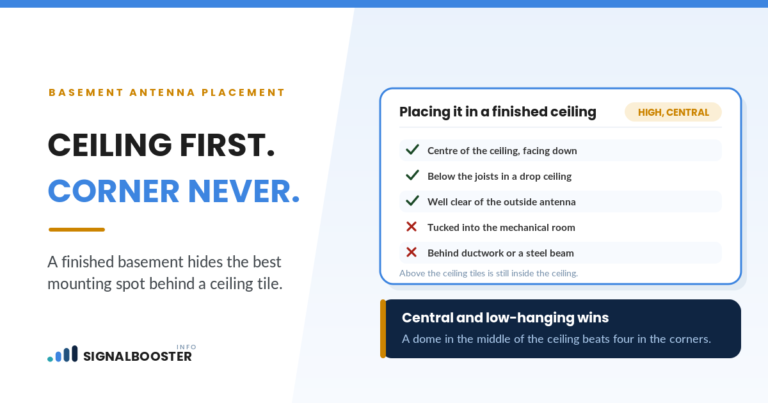
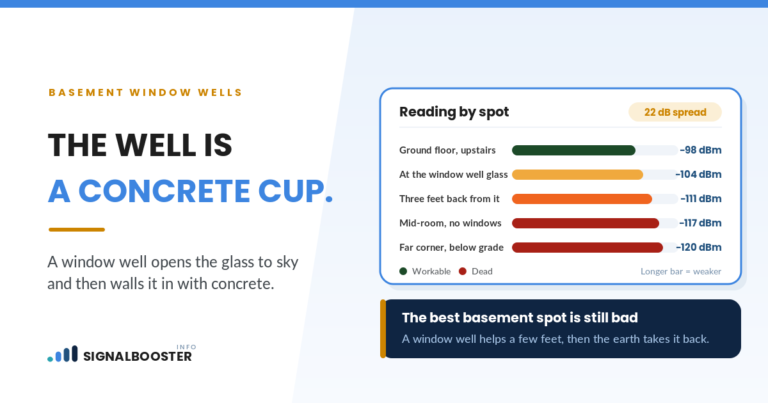
The metal is the bigger everyday effect. A breaker panel is a steel enclosure, and steel reflects radio signal. If the indoor antenna sits so that the panel is between it and the room you want covered, that room sits in a shadow. The same logic applies to the basement as a whole, which is why where the indoor antenna goes in a basement matters more than which box happens to be nearby.
Sump pumps: motors, moisture and shared circuits
A sump pump is a different case, because it has a motor. The FCC’s equipment rules class AC and DC motors as “incidental radiators,” devices that can produce radio emissions as a byproduct of normal operation. They do not need FCC authorization, but if one causes harmful interference, the user is expected to stop it and fix it.
Two things make a pump easy to diagnose. First, it runs in short cycles controlled by its float, so any noise it adds comes and goes with the motor. A problem that appears only while the pump runs and vanishes when it stops is a strong signature. Second, the pump has other ways to hurt the booster that have nothing to do with radio:
- Shared circuit. If the booster’s power supply shares a circuit with the pump and that circuit trips, the booster goes dark along with the pump.
- Moisture. Amplifiers are indoor electronics. An amplifier on the floor near the pit is exposed to splashes, condensation and any overflow. Mount it up, dry and ventilated, as its manual directs.
- Battery backup systems. Backup pump systems include chargers and, on some models, inverters. The FCC lists power supplies among the household devices that can cause interference, so treat a backup unit as a suspect in its own right.
Do not unplug the pump to test it during wet weather or with water in the pit. Use its normal cycles instead.
How to test for electrical panel interference with a signal booster running
The method is a three-state comparison: the same spot measured with the booster off, with the booster on and the suspect idle, and with the booster on and the suspect running. The FCC’s own consumer guide to interference with radio, TV and telephone signals (read September 23, 2026) recommends the same principle for any household interference: change one device at a time and see whether the problem follows it.
You need readings in dBm plus a quality figure, not bars. If you have not pulled those numbers before, how to check your phone’s real signal strength in dBm walks through getting them from your own phone.
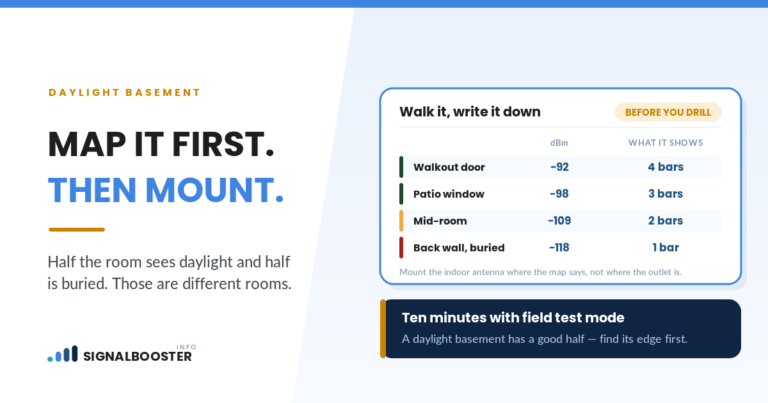
- Pick two fixed test spots. One within arm’s reach of the panel or pump, and one where you actually use the phone. Mark them with tape so every reading comes from the same place, and hold the phone the same way each time.
- State A: booster off. Unplug the booster’s power supply. Wait a minute, then record RSRP, RSRQ and SINR at both spots. Take three or four readings over a minute and write down the range, because readings move on their own.
- State B: booster on, suspect idle. Power the booster back up, give it a few minutes to settle, and repeat the readings with the pump idle and no large appliances running.
- State C: booster on, suspect running. Trigger a normal pump cycle by adding water to the pit, the same way you would check that the pump works. For the panel, record readings while the large loads it feeds are running, such as the washer, dryer or HVAC. Watch the booster’s status lights during the cycle.
- Optional State D: booster off, suspect running. This shows whether the device affects your phone directly, with or without the booster in the chain.
What your readings are telling you
Compare the ranges, not single numbers. A difference that stays inside the normal wobble between readings is not a finding.
- Lower RSRP near the panel in every state, with SINR steady: metal shadowing. Nothing is being emitted; the panel is in the way.
- RSRP steady, but SINR and RSRQ fall only in State C: electrical noise from whatever you switched on. Quality is the number that moves, because noise raises the floor under the signal rather than lowering the signal itself. Signal strength vs signal quality explains why those two can disagree.
- Everything drops to State A levels the moment the pump starts, and the booster’s lights change: a power problem. The booster is losing its supply or resetting.
- Readings unstable in all states, pump or no pump: look at oscillation and gain reduction before anything in the house.
- No meaningful difference anywhere: the panel and pump are not your problem. The fix is elsewhere, usually the outdoor antenna position or the signal available outside.
Fixes that stay on your side of the panel
Most real fixes here are about placement, and none of them involve opening anything electrical.
- Get the panel out of the antenna’s line of sight. Move or re-aim the indoor antenna so the steel enclosure is not between it and the rooms you want covered. Aiming a panel-style indoor antenna away from the panel wall can clear a shadow on its own.
- Keep the amplifier and coax away from the panel. Do not route coax through the panel enclosure or its knockouts, and do not bundle it alongside power cables. Where coax has to cross a power cable, general cabling practice is to cross at a right angle rather than run the two side by side.
- Check the coax itself. Shielded coax rejects most stray noise. A nicked jacket, a crushed section or a loose connector is where noise gets in, so inspect and reseat connectors before assuming a new source.
- Separate the power. If an outlet on a different circuit is within reach, plug the booster’s power supply there instead of sharing with the pump. Never run an extension cord across a floor that can get wet.
When it stops being a signal problem: call a licensed electrician
Some findings end the signal troubleshooting on the spot. If you notice any of the following, stop and call a licensed electrician:
- Buzzing, crackling or sizzling from the panel
- A panel cover that feels warm, or a burning or hot-plastic smell
- Scorch marks or discoloration around breakers
- Breakers that trip repeatedly, or lights that dim or flicker hard when the pump starts
These point to loose connections or arcing, which is a fire risk long before it is a signal risk. Do not remove the panel cover, and do not tighten, move or replace anything inside it. Switching a clearly labeled breaker off and back on is operating the panel; anything past that is electrician work. Adding a dedicated circuit for the booster or the pump is work governed by the National Electrical Code and usually needs a local permit, so leave that to the electrician. If the noise turns out to come from outside the house, the FCC’s interference guide points you to your power company, and most power companies will investigate.
If the booster itself is the problem
Interference can run the other way. The FCC’s Consumer Signal Boosters page (read September 23, 2026) explains that certified consumer boosters must meet a Network Protection Standard, which includes detecting and reducing oscillation on their own and powering down when not needed. It also says to register your booster with your wireless provider before turning it on. The FCC’s Signal Boosters FAQ adds that if your provider or the FCC tells you your booster is causing interference to a wireless network, you must turn it off and leave it off until the problem is fixed. A booster that keeps dropping out near the panel may be protecting the network, not suffering from the panel.
What this method will not fix
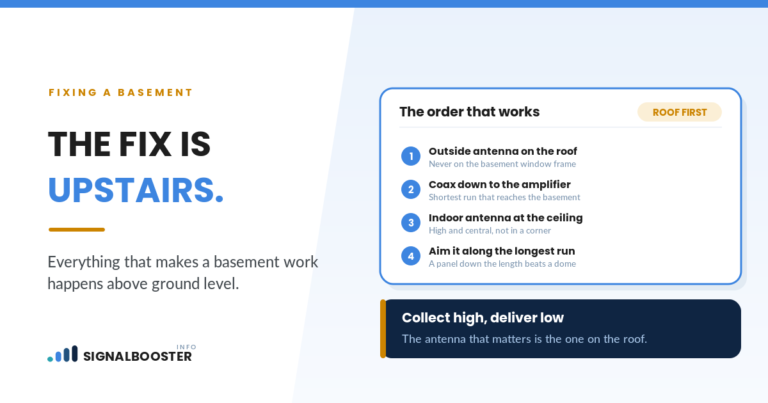
If your State A readings are poor even where the outdoor antenna is mounted, no amount of moving the indoor antenna away from the panel will help, because there is little signal for the booster to work with. And if your readings wobble by similar amounts in every state, you have not found interference, you have found normal variation. The honest outcome of this test is often “the panel was never the problem,” and that is still useful, because it points you back to the outdoor antenna and the signal available where it is mounted.
FAQ
Can a breaker box block cell signal?
Yes, in the sense that any large steel enclosure reflects and blocks radio signal. The effect is local: it shadows the area behind the panel relative to the antenna. Moving or re-aiming the indoor antenna so the panel is not in the path usually resolves it.
Should my signal booster share a circuit with the sump pump?
It is better not to. If the circuit trips because of the pump, the booster loses power too. If there is no outlet on a separate circuit nearby, a licensed electrician can advise on adding one; that is not a do-it-yourself job.
Can I mount the indoor antenna on the electrical panel or right next to it?
Avoid it. Mounting on or beside the steel enclosure puts metal directly in the antenna’s pattern and can shadow the rooms you want covered. Never drill into, fasten to or route cable through the panel itself.
Does a buzzing electrical panel affect cell phone signal?
It can add noise, but the signal is the lesser concern. Buzzing or crackling can mean arcing at a loose connection, which is a fire risk. Stop troubleshooting and have a licensed electrician inspect the panel.