If your signal booster upstairs is still weak after a basement install, the most common reason is geometry, not a faulty unit. The indoor antenna sits in the basement, and its coverage has to cross one or two floor assemblies and a lot of distance before it reaches a bedroom on the top floor. The fix is rarely a bigger booster. It is usually moving the indoor antenna or adding a second one, confirmed with dBm readings taken with the booster on and off.
That is the short answer. The rest of this guide gives you a way to prove which cause applies to your house, using your own phone’s field-test readings, a table that maps those readings to a likely cause, and the trade-off most placement advice skips: moving the indoor antenna up can quietly make the whole system weaker.
Why a basement booster struggles to reach an upstairs bedroom
A booster has two antennas. The outdoor antenna collects signal from the tower, the amplifier boosts it, and the indoor antenna rebroadcasts it inside. The indoor antenna is the part that decides which rooms get the benefit.
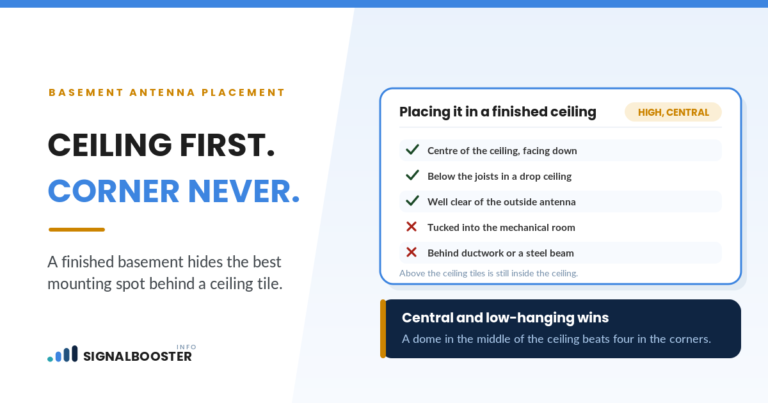
Indoor antennas are not built to push signal up through a house. SureCall’s guide to cell phone signal boosters (read September 23, 2026) describes dome antennas as best suited to single-floor spaces, transmitting “downward and to the sides of the antenna.” A dome on the basement ceiling is doing its job when it covers the basement.
Three things then stack up against the upstairs bedroom:
- Distance. The top-floor bedroom is often the farthest habitable room from a basement antenna, and boosted signal fades with every foot.
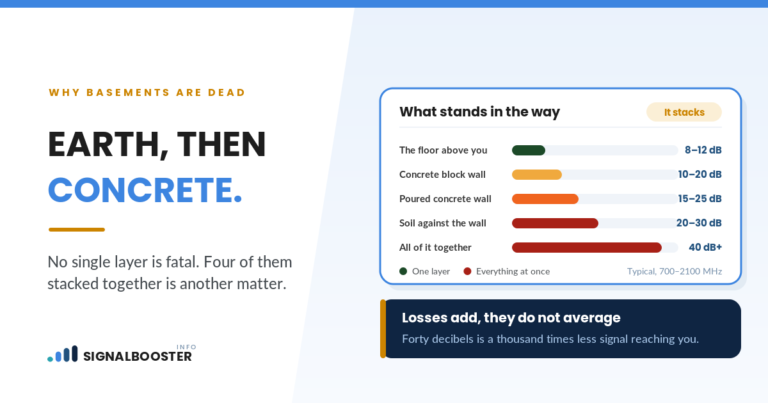
- Floor assemblies. Each floor adds subfloor, joists, ductwork, drywall and sometimes tile or concrete between the antenna and your phone.
- The donor signal. A booster can only spread what its outdoor antenna collects. The weaker that signal, the smaller the boosted area, and the farthest room loses first. The basement booster guide covers why that starting signal matters so much.
Measure first: a three-point dBm check
Bars are a phone’s summary, not a measurement. Before moving anything, collect real numbers. The method below uses only your phone and a notepad.
- Open your phone’s field-test or signal-status screen and find the reading in dBm. On LTE this is usually labeled RSRP. Note the network type shown as well.
- Pick three spots: within a few feet of the basement indoor antenna, the upstairs bedroom where the problem happens, and a spot near where the outdoor antenna is mounted (or just outside, on that side of the house).
- Take readings with the booster on. Hold the phone the same way each time, wait a minute, and write down several readings per spot, since the number moves around.
- Unplug the booster’s power and repeat at the same three spots.
- Compare the on and off numbers for each spot. The difference is what the booster is actually adding there.
Keep the same phone, the same carrier and the same spots for every round, or the comparison means nothing. Our guide on how to test a signal booster before and after goes deeper on logging and repeating readings so a one-off fluctuation does not send you down the wrong path.
Reading the results: signal booster upstairs still weak, diagnosed
Once you have on and off readings for all three spots, the pattern usually points to one cause. This table does not use fixed dBm cutoffs on purpose. What matters is the direction and size of the change between on and off at each spot.
| What your readings show | Most likely cause | What to try next |
|---|---|---|
| Big improvement near the basement antenna, little or none upstairs | Coverage does not reach that far. A placement or antenna-count problem. | Move the indoor antenna or add a second one on an upper floor |
| Little improvement anywhere, even next to the indoor antenna | The booster is not delivering much at all: weak donor signal, reduced gain, or a wiring fault | Check the outdoor reading, the booster’s status lights and every cable connection |
| Improvement near the antenna got smaller after you moved an antenna | The booster is cutting its own gain to prevent oscillation | Restore or increase the distance between the indoor and outdoor antennas |
| Upstairs reading with the booster off is already about as good as the boosted basement | The booster has little to add upstairs, and the problem may be signal quality, not strength | Check quality readings (SINR or RSRQ) and consider congestion or interference |
| Upstairs improves but calls or data still fail | A band, carrier or quality issue the booster does not solve | Confirm your carrier’s bands are covered and compare quality readings |
The first row is the one most people land in, and it is the one this article is really about.
Fix 1: move the indoor antenna up, carefully
The simplest change is relocating the indoor antenna so it sits closer to the rooms that need it. SureCall’s same guide says panel antennas suit “long, rectangular spaces and multi-floor homes,” because a panel sends a directional beam rather than a downward glow. In a wood-framed house, an antenna mounted higher and aimed down can often serve more than one floor. In a house with concrete between floors, expect each floor to need its own antenna.
Here is the part most placement advice leaves out. Your outdoor antenna is usually on the roof or high on a wall. Every foot you move the indoor antenna upward is a foot closer to the outdoor antenna. When the two get too close, the booster starts hearing its own output, a feedback condition called oscillation. Consumer boosters are designed to detect this and reduce their gain or shut down affected bands to protect the network.
The result can be confusing: the upstairs bedroom improves a little while the basement, the room you bought the booster for, gets worse. That is why you rerun the three-point check after every move. Each manufacturer publishes a minimum separation for its own models, so use the figure in your manual. Our guide to antenna separation distance for a signal booster explains how to get more isolation without giving up the new position.
Fix 2: add a second indoor antenna on the upper floor
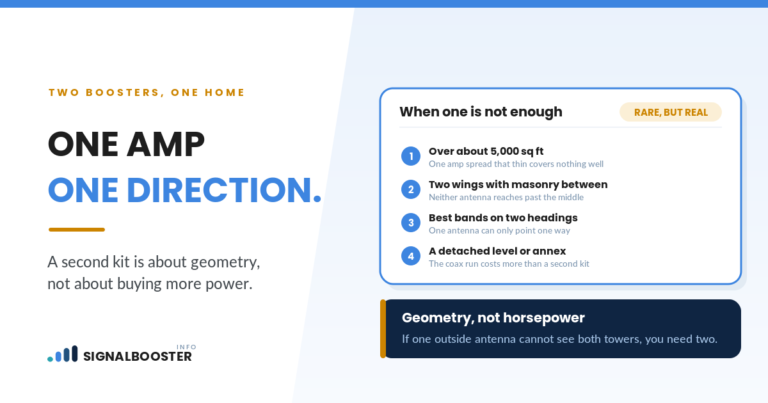
When moving one antenna cannot cover both the basement and the bedroom, the usual answer is a second indoor antenna connected through a splitter. This keeps the basement antenna where it works and puts new coverage close to the problem room.
Two honest caveats. First, a splitter divides the booster’s output between the antennas, so each one covers less than the single antenna did alone. The basement coverage will shrink somewhat. Second, not every booster kit is designed to run multiple indoor antennas, so check your manual before buying anything extra. Our article on how many booster antennas a multi-level home needs walks through when a second antenna is enough and when a house really needs a different setup.
A second antenna also means a second cable run between floors. Drilling through top plates, subfloors or ceilings can hit electrical wiring, plumbing or ductwork, and some assemblies carry fire-blocking that should not be left open. If you are not sure what is inside a wall or ceiling, stop and bring in a qualified installer. If the amplifier’s new location needs a new outlet or any electrical work, that job belongs to a licensed electrician.
Fix 3: check the donor signal before blaming the upstairs
If your readings fell into the second row of the table, no amount of indoor rearranging will help much. A booster with a weak donor signal produces a small boosted area, and the upstairs bedroom sits at its edge.
Look at the outdoor reading you took. If it is poor, the outdoor antenna may be aimed at the wrong tower, mounted too low, or blocked by part of the house. Long or low-grade cable between the outdoor antenna and the amplifier also eats signal before it is ever boosted. Adjusting the outdoor antenna usually means ladder or roof work, and that is a job for a qualified installer rather than a weekend experiment.
Also check the booster’s status lights against the manual. A light indicating reduced gain or a shut-down band tells you the booster is limiting itself, which points back to separation rather than coverage.
What a booster cannot fix upstairs
This is the section brand guides tend to skip.
A booster amplifies signal strength. If the upstairs bedroom already has usable strength and calls still drop, the problem may be quality: interference, a congested cell, or a phone that keeps handing off between towers. Amplifying a noisy signal also amplifies the noise, so a booster can raise the dBm number without making calls more reliable. Your quality readings, SINR or RSRQ on LTE, tell you which problem you have.
A booster also only helps the carriers and bands it supports. If your phone upstairs connects on a band the booster does not cover, the booster will do nothing for it no matter where the antenna sits.
Finally, the rules still apply after any rearrangement. The FCC’s Consumer Signal Boosters page (checked September 23, 2026) says to register your booster with your wireless provider before turning it on, and that registration is free. The FCC also states that if the FCC or a wireless provider tells you your booster is causing interference, you must turn it off until the problem is fixed.
When to stop and call a qualified installer
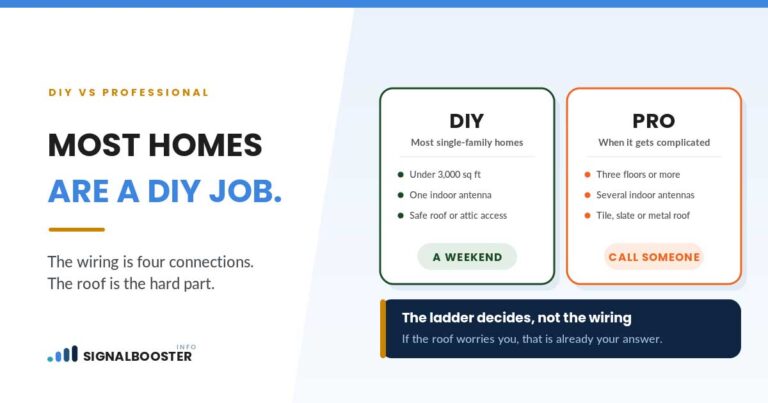
Rearranging indoor antennas and taking readings is reasonable homeowner work. Some jobs are not:
- Anything on a roof or a tall ladder, including re-aiming or raising the outdoor antenna.
- New electrical outlets or circuits for the amplifier. Call a licensed electrician.
- Drilling through floors or ceilings where you cannot confirm what wiring, pipes or ducts are inside.
- Readings that fit none of the patterns above, or a booster that keeps shutting bands down after you have increased separation.
An installer with a proper signal meter can map coverage floor by floor faster than a phone can, and that is worth it when the house has concrete floors or several levels.
FAQ
Can one indoor antenna cover both a basement and an upstairs bedroom?
Sometimes, in a wood-framed house where the antenna is placed centrally and the donor signal is strong. In houses with concrete floors, long distances between the two rooms or a weak outdoor signal, one antenna usually cannot serve both, and each floor needs its own coverage.
Should I move my booster’s indoor antenna upstairs?
It can help, but check what it does to the separation between the indoor and outdoor antennas. If the booster reduces its gain after the move, you may gain a little upstairs and lose the basement. Rerun your on and off readings after every change.
Will a stronger booster fix weak signal upstairs?
Not by itself. If the problem is that the indoor antenna is too far from the bedroom, more gain does little, and a stronger unit is just as limited by antenna separation. Placement and antenna count usually matter more than raw power.
How do I know if the booster is helping upstairs at all?
Take dBm readings in the bedroom with the booster on, then unplug it and take them again in the same spot. If the numbers barely change, the booster’s coverage is not reaching that room.
Why do my readings upstairs keep jumping around?
Signal readings fluctuate with network load, the phone’s position and which cell it is connected to. Take several readings per spot, hold the phone the same way, and compare averages rather than single numbers.