“SOS Only” means your phone can still place an emergency call, but it cannot reach your own carrier’s network for normal calls, texts, or data. The phone has found a cellular network it is not allowed to use for regular service, so it holds that network open for 911 and nothing else. “No Service” is the state one step below: the phone cannot find any usable network at all, not even one it could borrow for an emergency. Neither message tells you why. Three completely different problems produce the same words on your screen, and only one of them is a coverage problem that hardware can fix.
The Three States, Side by Side
Your phone is always in one of three conditions, and the status text is the only clue most people ever see.
| What the phone shows | What it means | Can you call 911? | Can you call, text, use data? |
|---|---|---|---|
| Bars plus a network type (LTE, 5G) | Registered on your carrier’s network with full service | Yes | Yes |
| SOS Only (or SOS, or Emergency Calls Only) | A network is reachable, but your phone is not authorized on it for normal service | Yes | No |
| No Service | No usable network is reachable at all | No, not over cellular | No |
The important part of that table is the middle row. SOS Only is not a broken phone and it is not always a dead zone. It is a defined cellular state: the phone has camped on a network for emergency purposes only. Regulations in the US require networks to accept emergency calls from handsets that are not their own subscribers, which is exactly why the phone can dial 911 over a carrier you do not pay.
Why “SOS Only” Is Not the Same as “No Signal”
This is where most readers go wrong, and it costs them money.
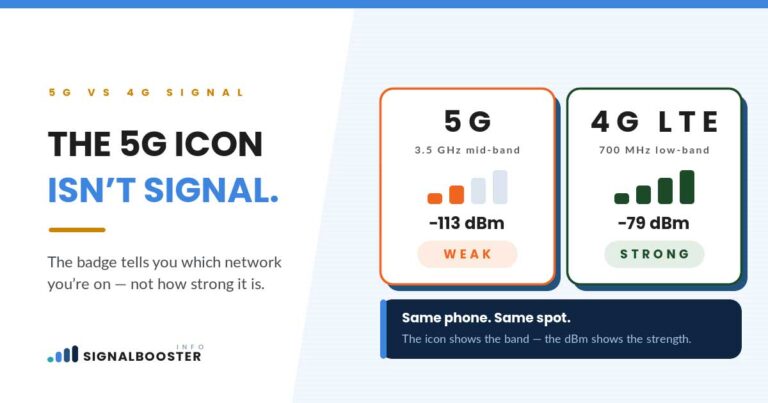
If the phone says SOS Only, radio signal is arriving. Something is being received well enough for the phone to register with a tower. The failure is happening at the authorization layer, not the radio layer. Your phone can hear the network fine; the network has declined to serve you.
If the phone says No Service, that is the radio layer failing. Nothing usable is arriving.
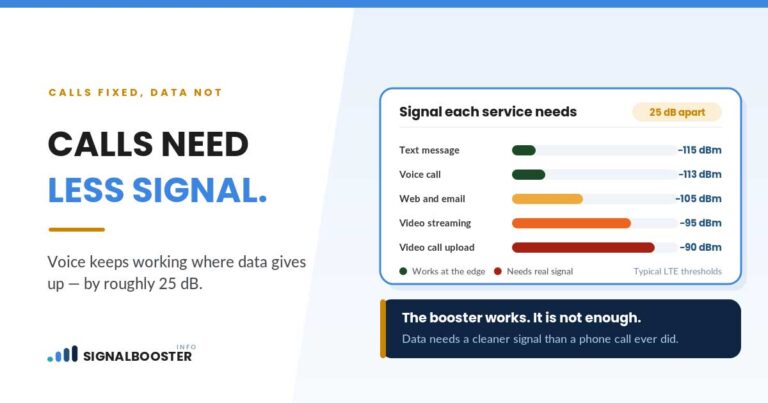
An amplifier makes weak signal stronger. It does not make an unauthorized phone authorized. That single distinction decides whether any equipment on the market will help you, and almost no page that ranks for this question says it plainly.
The Three Causes, and How to Tell Them Apart
1. Coverage: there genuinely is no service where you are
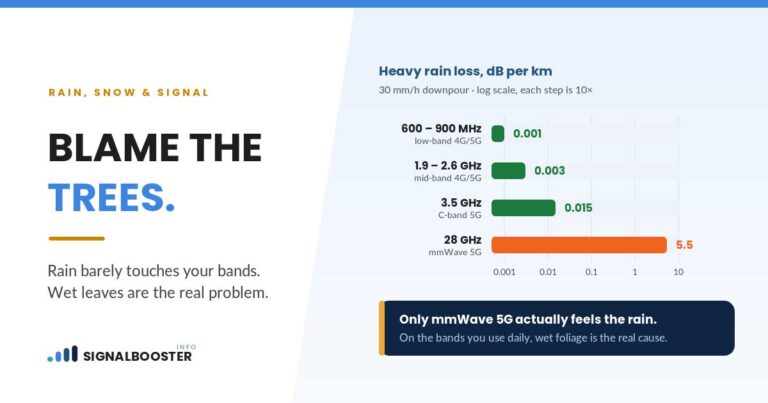
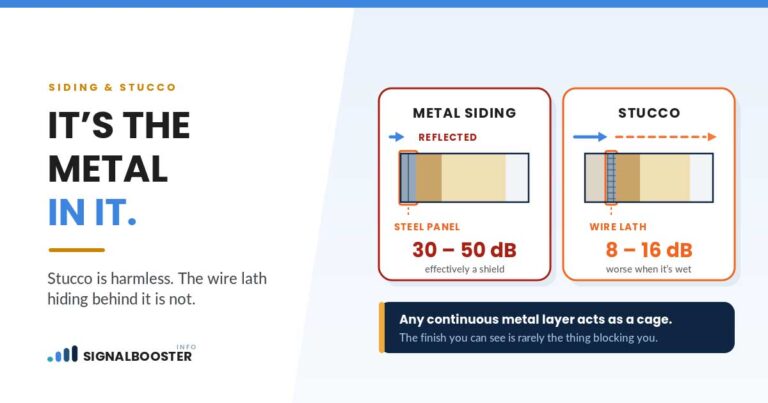
You have moved into a gap. This is the classic dead zone: the far side of a hill, a basement, a rural stretch between towers, a building whose walls strip out most of what arrives outside. Coverage causes usually show No Service rather than SOS Only, though a borrowed network from another carrier can produce SOS Only at the edge of a gap.
Tell-tale sign: it is tied to a place. Walk outside, drive a mile, go up a floor, and normal service comes back. The same spot fails the same way every time.
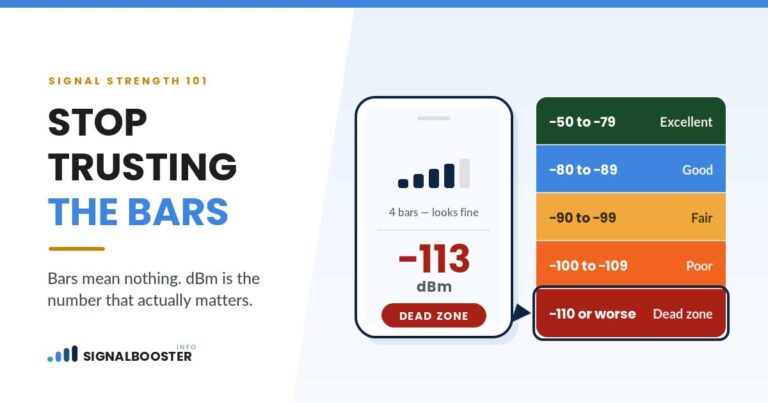
If this is your cause, the diagnostic path this site already lays out applies directly: work out whether the problem is distance to the tower or an obstruction in the way, then measure what you actually have with a real dBm reading rather than bars.
2. Account, SIM, or authorization
The network is there. It will not let you on it. Common versions:
- The SIM has come loose, failed, or was moved between phones
- An eSIM profile has not activated, or the wrong line is selected as the active one
- The account is suspended, past due, or a port to a new carrier is still in progress
- You are roaming internationally without a plan or agreement that covers the local networks
- The phone is locked to a different carrier than the SIM inside it
Tell-tale sign: it follows the phone, not the place. It fails at home, at work, and in the parking lot of a store where everyone else has full bars. A second phone in the same room, on the same carrier, works fine.
3. Network-side: an outage, or a technology that no longer exists
Carriers have outages. During a large one, every phone in a metro area can show SOS Only at once while emergency calling still works over rival networks.
The quieter version of this cause is a device that has outlived the network it was built for. The FCC published consumer guidance ahead of the US 3G shutdowns, and the national carriers completed those shutdowns during 2022 (AT&T in February 2022, T-Mobile through mid-2022, and Verizon at the end of December 2022, the last of the three). A handset or connected device that only ever spoke 3G has no network left to register on. It can still reach emergency services, so it sits in SOS Only permanently, in a location with perfectly good coverage for everyone else.
Tell-tale sign: either it started suddenly for many people at once (outage), or it never worked again after a specific date on one older device (technology sunset).
The Five-Minute Triage That Tells You Which One You Have
Do these in order. Each step rules out a whole category, which is the point.
- Check a second phone in the same spot. Same carrier, same result means the network or the location. Different result means your phone, SIM, or account.
- Check a second location. Drive a few minutes and watch the status. Recovery on the move points at coverage. Failure everywhere points at the phone or the account.
- Toggle airplane mode on, wait ten seconds, then off. This forces a fresh network search. If a stale registration was the whole problem, it clears here.
- Restart the phone, and check for a carrier settings update. Cheap, fast, and it fixes a real share of authorization-side failures.
- Confirm the account and the SIM. Log in to your carrier account from Wi-Fi. Look for a suspension, a failed payment, or a port in progress. Reseat a physical SIM. For an eSIM, confirm the line is active and selected.
If steps 1 and 2 point at a location, and steps 3 to 5 change nothing, you have a coverage problem. That is the only one of the three where hardware is the right answer.
What Nobody Selling Equipment Will Tell You
A booster amplifies the signal that already exists between your phone and a tower. It creates nothing. Three honest limits follow from that, and they matter more than any spec sheet:
- A booster does nothing for an account, SIM, or roaming problem. The signal was never the issue.
- A booster does nothing during a carrier outage. There is nothing on the air to amplify.
- A booster does nothing for a device whose network technology has been retired. Amplifying a band the carrier no longer transmits on amplifies silence.
There is also a regulatory point worth knowing before you buy anything. In the US, consumer signal boosters are governed by the FCC’s rules at 47 CFR 20.21. The equipment must be FCC certified, and the user must register the booster with their wireless provider and operate it with the provider’s consent, which the provider can withdraw if the device causes harmful interference. This site covers that in full on whether a cell phone signal booster is legal. Rules differ by country, and in some jurisdictions running a repeater without the network operator’s authorization is simply illegal.
If your triage does point at coverage, the honest comparison of your options is worth reading before you spend: Wi-Fi calling versus a signal booster covers the free fix first, and switching carriers versus buying a booster covers the case where the network itself, not your house, is the problem.
When SOS Only Is Actually Doing You a Favor
One reframe before you panic. A phone showing SOS Only has quietly done something useful: it has confirmed that emergency calling still works from where you are standing. In a genuine emergency, dial 911 anyway, even with no bars and no carrier. The call will attempt over any network in range, which is precisely what that status message exists to tell you.
That is cold comfort when you are trying to take a work call. It is not cold comfort at 2am on a rural road.
FAQ
What does SOS only mean on my phone?
It means your phone can reach a cellular network for emergency calls only. It is not registered for normal service on your own carrier, so calls, texts, and mobile data will not work, but 911 will still connect over whatever network is in range.
Is SOS only the same as no service?
No. SOS Only means a network is reachable but you are not authorized for normal service on it. No Service means no usable network is reachable at all, including for emergency calls over cellular. The difference matters, because SOS Only is often an account or SIM problem rather than a coverage problem.
Can I still text or use data on SOS only?
Not over cellular. If you connect to Wi-Fi, internet-based messaging and calling apps will still work, and Wi-Fi calling can restore normal calls and texts on a supported phone and plan.
Will a signal booster fix SOS only?
Only if the underlying cause is genuinely weak coverage. A booster amplifies an existing signal, so it cannot help with a SIM fault, a suspended account, a roaming restriction, a carrier outage, or a device built for a network technology that has been shut down.
Why does my phone say SOS only in one specific place?
That pattern points at coverage. Something about that location, terrain, distance from the tower, or the building’s own materials, is cutting the usable signal below what your phone needs to register for normal service. Measuring the real dBm reading indoors and outdoors at that spot will confirm it.