Short answer: a signal booster fixes weak signal caused by distance, walls, or terrain blocking a cell signal that’s already reasonably strong outside your home. Switching carriers fixes weak signal caused by your specific carrier having thin network coverage in your area, a problem no booster can solve because it has nothing to amplify. If you can get a usable signal standing in your yard but lose it walking inside, that’s a booster problem. If your phone is weak everywhere, indoors and out, while a friend on a different carrier gets full bars in the same spot, that’s a carrier problem. Diagnose which one you have before you spend a dollar on either fix.
The Real Question: Is It a Coverage Problem or a Carrier Problem?
Most articles comparing these two options skip straight to “which is more cost-effective” and start ranking pros and cons. That’s the wrong first question. The right first question is diagnostic: where is the signal actually failing, outside your walls or before it ever reaches your property?
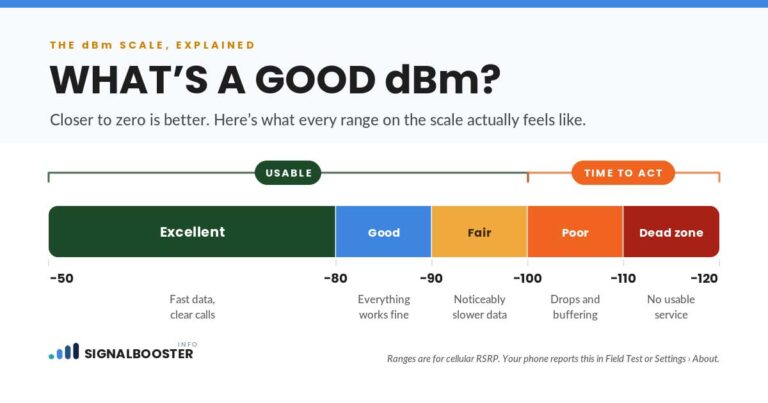
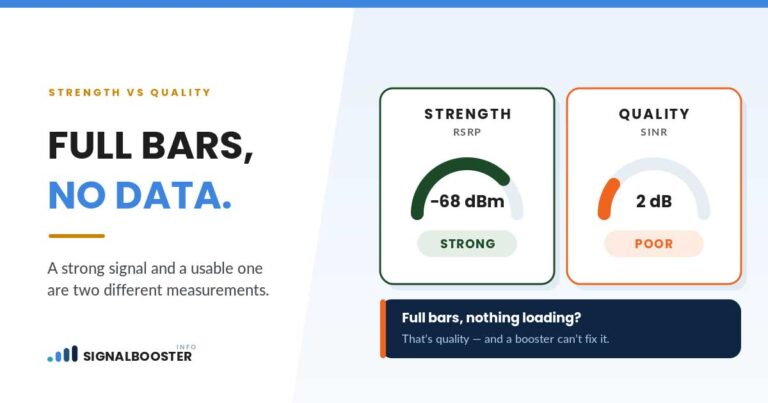
A cell signal booster is, at its core, an amplifier. It grabs whatever signal is already reaching the outside of your building, boosts it, and rebroadcasts it indoors. That means its entire job depends on one condition being true: there has to be a usable signal outside to amplify in the first place. If your outdoor signal, measured in actual dBm rather than bars on your phone’s screen, is already weak or nonexistent, a booster has nothing to work with. No booster on the market, at any price, creates a signal that isn’t there.
Switching carriers solves a different problem entirely: your current carrier’s network doesn’t have strong infrastructure (a nearby tower, enough tower capacity, the right spectrum) covering your specific location, but a competing carrier’s network does. This is a coverage-map problem, not a walls-and-distance problem. Switching won’t help if the issue is that you’re three miles from the nearest tower of any carrier, or that your basement has enough concrete and rebar to block a signal that’s fine everywhere else in the house.
Here’s the decision table I actually use when someone describes their dead zone to me:
| Your situation | What’s really happening | Right fix |
|---|---|---|
| Full signal outside or near a window, but it drops in the basement, a back bedroom, or a specific room | Building materials (concrete, metal siding, low-E glass, stucco) blocking a signal that’s already strong nearby | Signal booster |
| Weak signal everywhere, indoors and outdoors, but someone on a different carrier gets full bars in the same spot | Your carrier’s network is thin in this specific area, not your building | Switching carriers, after checking coverage maps for the carriers you’re considering |
| Rural or farm property, weak signal even standing outside in the open | Distance from the nearest tower, the signal is weak before it reaches any wall | Signal booster with a directional outdoor antenna, though this improves a weak signal rather than creates one from nothing |
| Solid home Wi-Fi, but weak cell reception specifically | The cellular network reaching your building is the problem, not your internet | Wi-Fi calling, a free option worth trying before spending on hardware or a plan change |
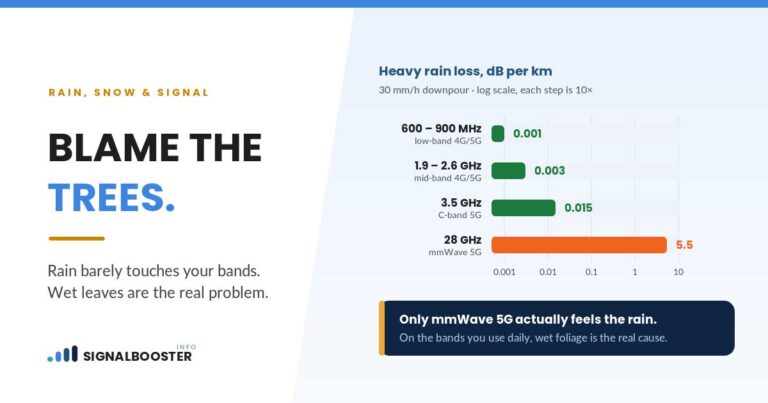
| Signal drops only during storms or heavy weather, otherwise it’s fine | Temporary environmental interference (rain, snow, heavy foliage absorbing radio waves) | Usually neither; this tends to resolve on its own |
| No signal at all, from any carrier, even standing outside | A genuine coverage gap with no nearby tower reaching your location from anyone | Neither a booster nor most carrier switches will fix a true zero-signal dead zone; check every carrier’s coverage map for your exact address before spending on either |
That last row matters more than it might seem. A booster amplifies signal that exists. It doesn’t manufacture one that doesn’t.
What a Signal Booster Can and Can’t Fix
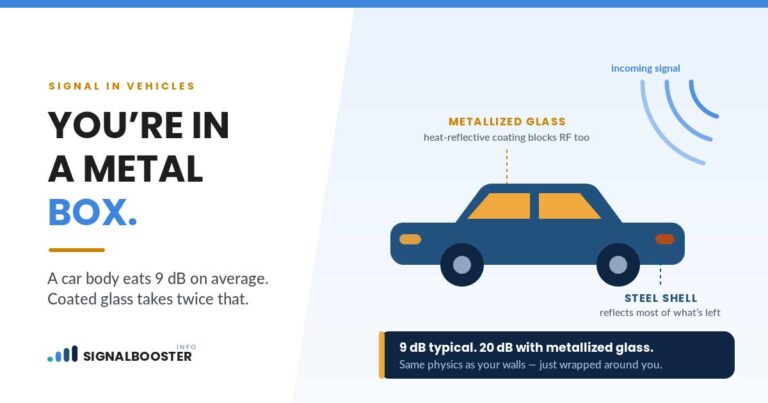
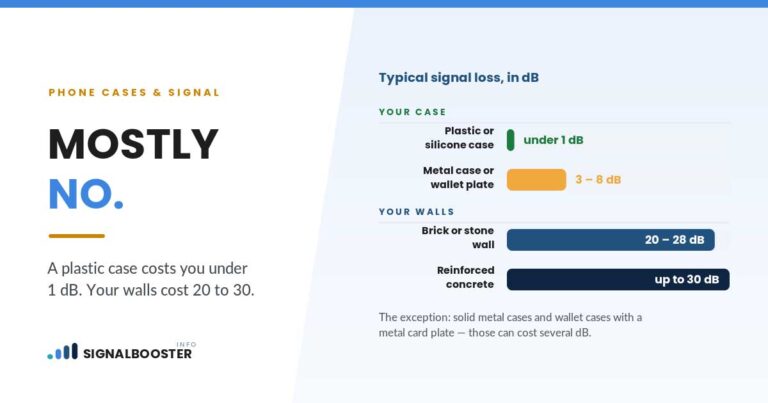
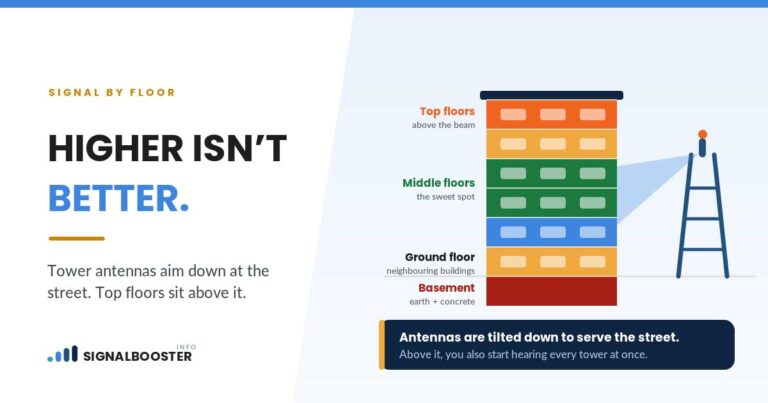
What it can fix: a weak-but-present signal caused by distance from the tower, building materials blocking the outdoor signal, or terrain (hills, tree cover) attenuating it before it reaches your walls. This is genuinely the most common cause of indoor dead zones in homes with modern energy-efficient windows and metal roofing, both of which are surprisingly effective at blocking cellular frequencies.
What it can’t fix: zero outdoor signal, a carrier with no meaningful network presence in your area at all, or a phone/SIM issue. A booster also can’t fix a signal problem caused by your carrier’s own network congestion, where the tower is close but overloaded at peak hours; that’s a capacity issue, not a distance-and-walls issue, and amplifying a congested signal just amplifies the congestion.
The honest limitation worth stating plainly: a booster is a tool that improves what’s already there. It’s not a universal fix, and treating it as one is how people end up buying hardware that doesn’t solve their actual problem.
What Switching Carriers Can and Can’t Fix
What it can fix: a genuine network-coverage gap where a competitor has real infrastructure serving your address and your current carrier doesn’t. This does happen, particularly in areas where one carrier built out towers earlier or has a spectrum-sharing agreement that reaches farther in your specific location.
What it can’t fix: anything caused by your building. If the new carrier’s outdoor signal at your address is strong but your basement walls block signal the same way regardless of carrier, switching gets you nowhere; you’ll have swapped providers and kept the exact same dead zone. Switching also carries real friction that a booster purchase doesn’t: porting your number, activating a new SIM or eSIM, adjusting to a new billing cycle, and in some cases waiting out a device compatibility check if your phone is locked or older.
The step worth doing before either purchase or plan change: check each carrier’s own coverage map for your exact address, not the general “coverage area” shading that looks convincing at a national zoom level. If every carrier’s map shows the same weak coverage at your specific address, that’s a strong sign this is a distance/terrain problem a booster is built for, not a carrier problem switching will solve.
The Free Option Nobody Mentions First: Wi-Fi Calling
Before spending money on either a booster or a new plan, there’s a free option worth ruling out first, and it’s the one competitor content in this space consistently buries near the bottom or skips: Wi-Fi calling.
If your home internet is solid but your cellular signal specifically is weak, Wi-Fi calling routes your calls and texts over your internet connection instead of the cell network, sidestepping the weak-signal problem entirely for calls made from inside your home. Every major US carrier supports it, and turning it on is usually a toggle in your phone’s settings, not a purchase.
It has real limits worth naming honestly. It only helps while you’re connected to that specific Wi-Fi network, so it does nothing for a weak signal in your car, your yard, or anywhere outside your router’s range. The handoff from a Wi-Fi call to the cellular network isn’t always seamless; step outside mid-call and you can lose the connection. And it does nothing for cellular data speed outside your home Wi-Fi, or for anyone visiting your house who isn’t on your network.
If your dead zone is specifically an indoor-only, calls-and-texts problem and your internet is reliable, try this first. It costs nothing and takes two minutes to turn on. If it solves the problem, you’ve saved the cost of a booster or the hassle of switching carriers entirely.
Cost Comparison Over Time
Without pinning a specific dollar figure to either option (booster prices and carrier plan costs both change too often to quote reliably, and a wrong number does more harm than no number), the honest way to compare them is by cost structure, not a single price tag.
A signal booster is a one-time hardware cost. You buy it once, install it once, and it keeps working with any carrier’s phone in the building going forward, which matters if your household has multiple carriers already. There’s no recurring bill tied to it. The tradeoff is the upfront cost is paid all at once, and it only solves the specific building/distance problem it’s designed for.
Switching carriers restructures an ongoing cost you’re already paying, your monthly plan, rather than adding a new one-time cost. But it carries switching friction most people underweight: potential early termination costs on your current plan, a new device cost if your phone isn’t compatible with the new carrier’s network, and the time cost of porting your number and testing whether the new carrier’s signal is actually better at your specific address before you’re locked into a new contract.
The practical takeaway: if the diagnosis points to a building/distance problem, a booster is a one-time cost that keeps solving the same problem indefinitely. If the diagnosis points to a genuine carrier-coverage gap, switching addresses the root cause, but budget for the transition friction, not just the plan price.
My Answer When a Customer Actually Asks Me This
When someone asks me this directly, I ask them one question back first: can you get a usable signal standing outside your front door? If yes, and it disappears inside, I tell them to look at a booster, because that’s a building problem and a booster is built exactly for that. If the signal is weak even standing outside, I ask if they’ve checked every carrier’s coverage map for their specific address, not just their current one, because that’s the only way to know if switching would actually help before they go through the hassle of porting a number.
I won’t tell someone to buy a booster when the real problem is their carrier doesn’t cover their road. That’s not a signal problem a booster fixes; it’s money spent on the wrong diagnosis. And I won’t tell someone to switch carriers when their actual problem is a stucco exterior and low-E windows, because the new carrier’s signal will hit the exact same wall on the way in. Diagnose first. The fix follows from the diagnosis, not the other way around.
This site doesn’t currently carry any affiliate links (see our affiliate disclosure for exactly what that does and doesn’t mean), so there’s no reason for this answer to tilt toward “buy a booster” if the honest answer for your situation is “switch carriers” or “just turn on Wi-Fi calling.”
If you want to go deeper on any one piece of this: why your signal is weak at home in the first place walks through the specific building-material and distance causes, how to check your actual dBm signal strength shows you the real number instead of guessing from bars, and how much square footage a booster actually covers covers realistic coverage expectations if a booster turns out to be your answer. For the basics of how boosters work mechanically, see what a signal booster actually is and how it works.
FAQ
Will a signal booster fix a dead zone if I have no signal even outside my house?
No. A booster amplifies an existing signal; it can’t create one from nothing. If your outdoor signal is essentially zero, check coverage maps for every carrier at your exact address before buying hardware.
Does switching carriers guarantee better indoor signal?
No. It only helps if the problem is genuinely your carrier’s network coverage in your area. If your building materials or distance from any tower is the cause, a new carrier will hit the same wall.
Can I use Wi-Fi calling and a signal booster at the same time?
Yes, they solve different scenarios and don’t conflict. Wi-Fi calling helps indoors on your own network; a booster helps with the cellular signal itself, including outside your Wi-Fi’s range.
Is switching carriers cheaper than buying a signal booster long-term?
It depends on your specific plan and porting situation, so there’s no single answer that holds for everyone. A booster is a one-time cost with no new monthly bill; switching restructures a bill you already pay but can add device or termination costs during the transition.
What should I check before deciding between the two?
Get an outdoor dBm reading at your address, compare it against coverage maps for the carriers you’re considering, and try Wi-Fi calling first if your issue is indoor-only and your home internet is reliable.