Short answer: the satellite internet vs signal booster rural decision comes down to one fact you can measure: is there a usable carrier signal anywhere on your property, at the height an outdoor antenna could go? If there is, a booster can amplify it for calls, texts and cellular data on every phone in the house. If there is not, a booster has nothing to work with, and satellite internet (paired with Wi-Fi calling) is the realistic route to connectivity. They solve different problems, and on many remote properties the honest answer is both.
This guide walks through the measurement, the two line-of-sight checks that matter, and what each option leaves unsolved.
Satellite Internet vs Signal Booster: Rural Needs, Two Different Jobs
It helps to be precise about what each system actually does, because the marketing on both sides blurs it.
A cell signal booster is an amplifier with two antennas. The outdoor (donor) antenna picks up the carrier signal already reaching your property, the amplifier raises it, and an indoor antenna rebroadcasts it inside. weBoost, a booster manufacturer, puts the limit plainly in its booster vs satellite comparison, which we read on September 27, 2026: the booster “is designed to amplify the cell signal that already exists around you and amplifies it, instead of trying to acquire a new connection.” It uses your existing carrier plan. It does not create a new internet connection.
Satellite internet is a separate internet service. A dish on your property talks to satellites, and a router turns that connection into Wi-Fi inside the house. It has nothing to do with your carrier’s towers. It does not make your phone’s cellular signal any stronger, in the house or anywhere else on the land.
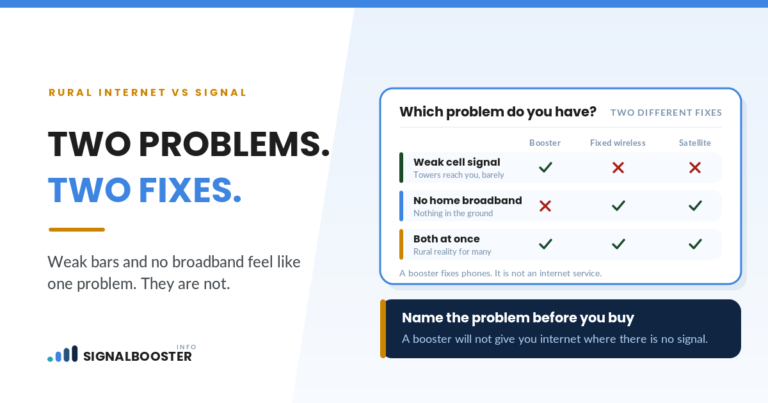
So the question is not “which one is better.” It is “which problem do I have”: weak cellular coverage that can be amplified, or no usable cellular coverage and no decent home internet either.
The One Measurement That Decides It
Bars will not settle this. Different phones scale bars differently, and a single bar can mean very different things. What you need is the signal strength in dBm (reported as RSRP on LTE and 5G) plus a quality reading such as SINR or RSRQ. Our guide on how to check your phone’s real signal strength in dBm shows where to find those numbers on iPhone and Android.
Take the readings in three places, with Wi-Fi turned off so your phone cannot fall back to your home connection:
- Inside, where the problem is. This is your baseline.
- Outside at ground level, on the side of the house facing the direction you believe the tower is in.
- Outside at the highest safe point you can reach from the ground, such as the top of a deck or a raised spot on the property. Do not climb onto a roof to take a reading.
Take several readings at each spot over a few minutes and write down the typical value, not the best flash. Signal apps fluctuate, and one lucky number is not a design basis.
Then read the pattern:
- A readable, stable signal outdoors that disappears indoors: the building is the obstacle. This is the case a booster is built for.
- A weak but connectable signal outdoors that calls can hold: a booster may help, often with a directional outdoor antenna. It is worth confirming before you buy.
- No service outdoors at any spot, or a phone that cannot register at all: there is nothing for a booster to amplify. Satellite internet and Wi-Fi calling become the practical path.
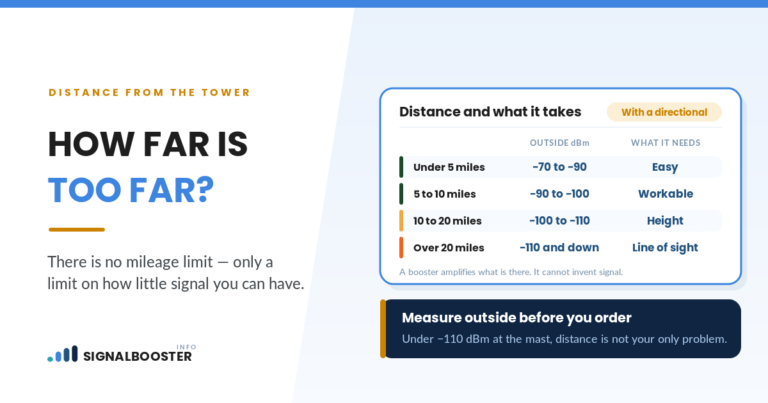
We do not publish a single dBm cutoff for “boostable.” No regulator sets one, and the thresholds on vendor pages disagree with each other. What matters is whether your phone can hold a call at the outdoor spot, and how that reading compares with inside.
The Sky Test and the Horizon Test
This is the part most comparisons skip. Both systems depend on line of sight, but they look in completely different directions.
Satellite internet looks up. The dish needs an open view of a wide patch of sky. weBoost’s comparison notes that “if you are roughing it where tree cover is dense, you’re going to have a tough time getting a connection.” Tall trees close to the dish, a steep hillside or a building in the way can all interrupt service.
A booster’s donor antenna looks sideways. It needs a path toward a carrier tower that may be miles away, near the horizon. A ridge, a hill or a thick tree line between you and that tower matters a great deal. The sky overhead does not matter at all.
That difference produces four very different properties:
| Property | Sky view | Path to a tower | Which fix has a chance |
|---|---|---|---|
| Open plain, distant tower, readable outdoor signal | Open | Clear but long | Booster, likely with a directional antenna |
| Valley floor with a ridge toward every tower | Open | Blocked | Satellite internet, then Wi-Fi calling |
| Forest clearing, tower on the far side of the trees | Partly blocked | Blocked by trees | Hard case. Test a satellite site in the clearing and outdoor cell readings at the tree line |
| Hilltop with timber around the house | Blocked near the house | Clear from the hilltop | Booster, possibly with the donor antenna placed where the path is clear |
Run both tests before spending on either. A property that fails the horizon test can still pass the sky test, and the reverse is common too. The explainer on distance vs obstruction covers why a ridge often costs more signal than extra miles of open ground.
What Each Fix Leaves Unsolved
Neither option covers everything. Seeing the gaps side by side is usually what makes the choice obvious.
| Need | Signal booster | Satellite internet |
|---|---|---|
| Calls and texts indoors | Yes, if an outdoor signal exists | Only through Wi-Fi calling, if your carrier and phone support it |
| Fast home internet for streaming or remote work | Only if your internet is a cellular plan, and limited by tower capacity | Yes, if the sky view is clear |
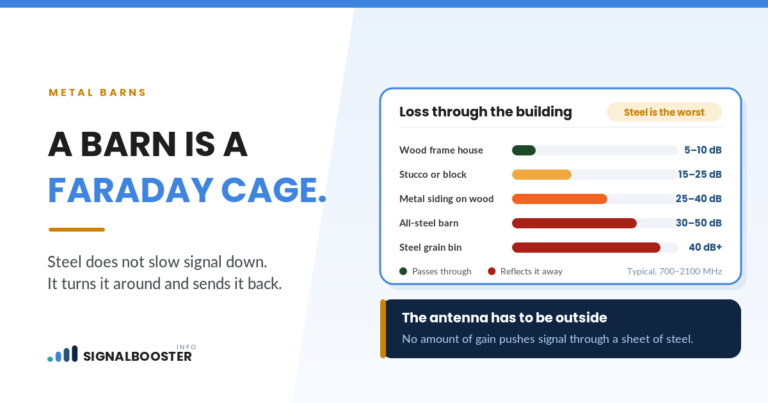
| Phone coverage in the barn, yard or field | Only where the indoor antenna reaches | No. Wi-Fi covers only where your router reaches |
| Works during a home internet outage | Yes, it does not use your internet | No, it is the internet |
| Helps every cellular device in the house | Yes, on supported carriers | Only devices using Wi-Fi |
| Needs a subscription beyond your phone plan | No | Yes |
One more limit on the booster side: amplification does not add tower capacity. If your outdoor signal is strong but data still slows to a crawl at certain times, that is congestion, and the article on why a booster can help calls but not data explains why more signal does not fix it.
The Combination Many Remote Properties End Up With
On the most remote properties, satellite internet plus Wi-Fi calling is what gets calls working inside the house. Verizon’s Wi-Fi Calling FAQ, read on September 27, 2026, says the feature lets you “make and receive voice calls, texts and video calls over a Wi-Fi (wireless internet) connection instead of using a carrier’s cellular network,” and that it applies “when you’re in a place with weak or no cellular network coverage.”
Three practical notes from that same page and from how the setup works:
- Call quality follows the internet connection. Verizon notes Wi-Fi Calling relies on the connection’s “signal and bandwidth.” If the satellite link drops because of an obstruction, calls drop with it.
- You must set an emergency address. Verizon’s page says you must confirm or enter the US address “where you want emergency personnel to go if you call 911.” Do this when you first turn the feature on, and keep it current.
- It stops at the edge of your Wi-Fi. Walk to the machine shed and you are back on whatever cellular signal exists there, which on a satellite-only property may be none.
Where a property has a weak but real outdoor signal and also needs fast internet, some owners run both systems: satellite for the home network, a booster for phones everywhere the indoor antenna reaches. That doubles the equipment, so confirm with measurements that each one earns its place. The side-by-side on Wi-Fi calling vs a signal booster covers how those two overlap inside the house.
What Costs Look Like, Without Made-Up Numbers
We do not quote prices here, because both markets change often and a stale number misleads more than no number. The structure is what matters for planning:
- A booster is mostly a one-time cost: the kit, cable, mounting hardware and, if you hire it out, installation. After that it uses your existing carrier plan.
- Satellite internet has an equipment cost plus a recurring monthly subscription for as long as you use it.
Check current pricing directly with the providers and manufacturers you are considering, on the day you are deciding.
Installation: Where This Stops Being DIY
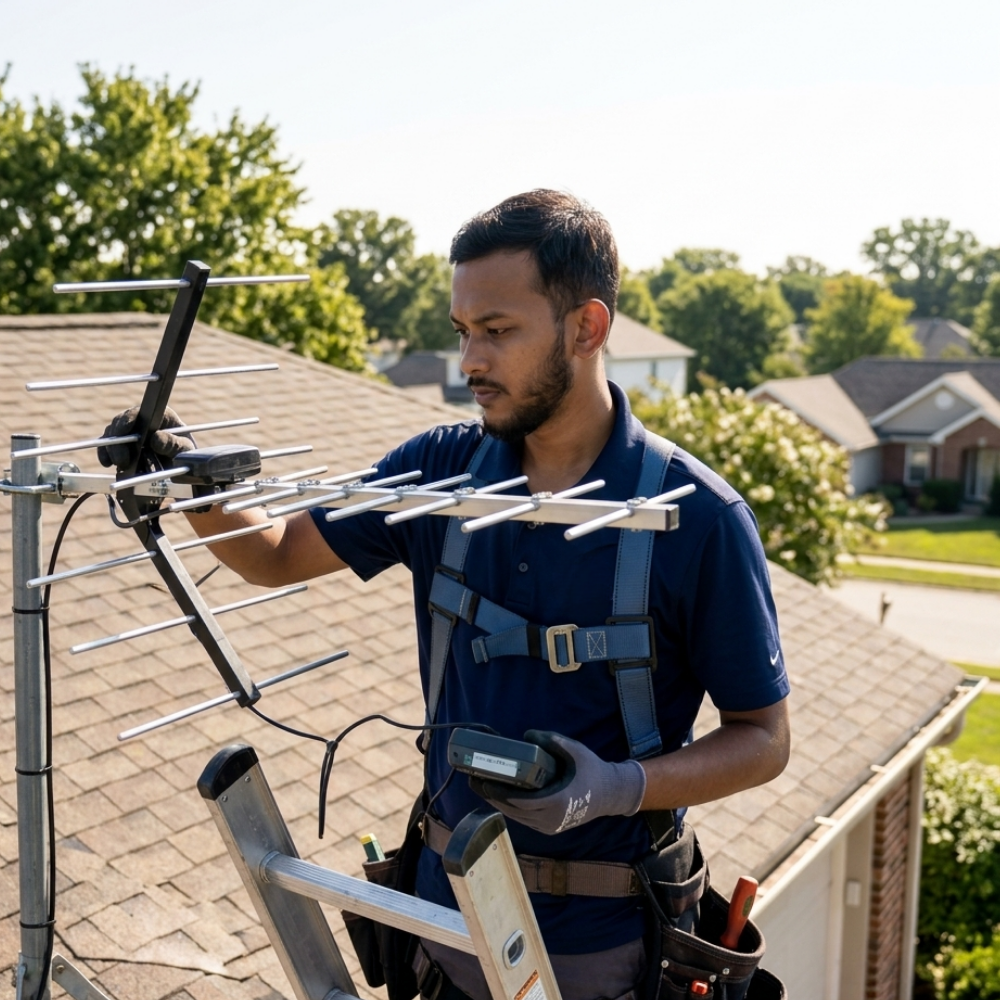
Both systems usually end up mounted high: a donor antenna on a mast or roofline, a dish on a roof, pole or wall. Roof work and ladder work are where people get hurt, and anything involving a new outlet or wiring belongs to a licensed electrician. If your plan puts either antenna on a roof or a tall mast, hand that part to a qualified installer.
The planning work is safely yours: take the readings, walk the property to find a clear sky patch and a clear horizon toward the tower, and write down both. That information is exactly what an installer needs, and it keeps you from paying someone to mount the wrong system.
A Simple Decision Path
- Readable outdoor signal, good home internet already: a booster, or try Wi-Fi calling first.
- Readable outdoor signal, poor home internet: a booster for phones, and a separate internet decision. If your internet will be a cellular plan, the booster can help that too.
- No usable outdoor signal anywhere, clear sky view: satellite internet with Wi-Fi calling.
- No usable outdoor signal and poor sky view: this is the hardest case. Test the best clearing for a dish before ordering anything, and ask your carrier about any coverage planned for your area.
Whichever you choose, repeat the same readings afterward at the same spots so you can compare before and after with numbers rather than impressions.
FAQ
Can a signal booster work with no cell signal at all?
No. A booster amplifies a carrier signal that already reaches your property. If no spot outdoors, at a safe mounting height, gives your phone a usable signal, there is nothing to amplify.
Does a cell signal booster improve satellite internet?
No. Satellite internet uses its own dish and its own link to satellites. A cellular booster works only on carrier cellular signals and has no effect on a satellite connection.
Can I make phone calls with satellite internet?
Usually, through Wi-Fi calling, if your carrier and phone support it. The call travels over your home internet instead of the cellular network, so call quality depends on that connection, and it only works within range of your Wi-Fi.
Is satellite internet or a booster better for a farm with several buildings?
It depends on what you need in each building. Satellite internet covers only where your Wi-Fi reaches. A booster covers only where its indoor antenna reaches. Measure first, then decide which building needs which kind of coverage.
What should I measure before choosing?
Your phone’s signal strength in dBm and a quality reading, with Wi-Fi off, indoors and at the best outdoor spot. Then check whether a site on the property has an open view of the sky. Those two checks decide most cases.